HEVC vs H.264 for short dramas: which codec should you pick?
HEVC gets you 720p and 1080p; H.264 plays almost anywhere but downloads stop at 540p. How to choose in the episode picker, and when to convert.
Written with AI assistance and reviewed by the ShortDrama Downloader team before publication. How we make guides
In short
- Short answer: Keep HEVC, the default, unless a screen you watch on can’t play it: it’s the only way to 720p and 1080p, while H.264 downloads stop at 540p.
- What you get: MP4 files in the codec you pick. H.264 plays on almost anything. If you need full resolution and H.264, download in HEVC, then use Convert to H.264 in the Library. It makes copies and keeps your originals.
- Limits: H.264 downloads stop at 540p because that is the highest H.264 version TikTok serves for these dramas. A converted copy takes extra disk space and can’t look sharper than the file it was made from.
Most “HEVC vs H.264” articles are about encoding your own videos. Saving a short drama is different: you don’t encode anything. The app saves the versions TikTok already serves for each episode, so the real question is which of those versions will play where you plan to watch.
Applies to: TikTok ShortDrama Downloader and PineDrama Downloader (the same app) 1.5.0 on Windows 10 and 11 (64-bit). Tested on Windows 11 Pro 25H2, 30 September 2026.
Before you start
- A 64-bit Windows 10 or 11 PC and the app, signed in to your TikTok account.
- A rough idea of where you’ll watch: this PC, a phone, a TV or an older device.
What the two codecs are
A codec is the method used to compress video into a file.
- H.264 (also called AVC) is the older, universal one. Nearly every phone, TV, browser and video program can play it.
- HEVC (also called H.265) is its successor. It was designed to keep a similar picture in less data. The app’s own tooltip sums it up as
High efficiency — smaller file.
The catch with HEVC is support. Older TVs and phones may not decode it at all. On Windows, Microsoft’s own video apps need HEVC support, which many PCs only get once Microsoft’s HEVC Video Extensions are installed (some PC makers preinstall it). Players that bring their own HEVC support, such as VLC, play it without that extension.
What TikTok serves for short dramas
- 1080p and 720p: HEVC only.
- 540p: HEVC, and usually H.264 as well.
That’s why the choice in the app is tied to the quality you pick. For how the quality ceiling works and why some dramas top out below 1080p, see What quality can you download TikTok short dramas in?
Which one should you pick?
| If you… | Pick | Why |
|---|---|---|
| Watch on this PC, or on a recent phone, TV or streaming device | HEVC at the highest quality offered | It’s the only route to 720p and 1080p, and the files are compact. |
| Need files that play on almost anything, and 540p is enough | H.264 at 540p | No extra step. Good for small screens and older devices. |
| Want 720p or 1080p and the widest compatibility | HEVC, then Convert to H.264 in the Library | You keep the HEVC originals and get H.264 copies at the same resolution. |
Not sure whether a device plays HEVC? Check its manual or spec sheet for “HEVC” or “H.265”. If neither appears, plan on H.264.
How to choose the codec in the episode picker
- Open a drama’s episode picker: click a poster in Browse, or paste one TikTok or PineDrama link into the box in Download and click Go.
- Under Quality, choose 1080p, 720p or 540p. This is a ceiling: each episode gets the best tier TikTok serves for it, up to your choice.
- Under Codec, leave HEVC selected. For H.264, first choose 540p, then select H.264.
- Pick your episodes with All, Clear or a range such as
1-20, 25, then click Add to queue.

 Open the full-size pictureOpen the full-size picture

Tested on 30 September 2026
Choosing 540p made H.264 selectable, and HEVC stayed selected until we clicked H.264.

 Open the full-size pictureOpen the full-size picture

Hover over the codec options for a reminder. The H.264 tooltip reads: Compatible with almost anything (540p only — use Library ▸ Convert for H.264 at higher resolutions).
Set your usual codec once
In Settings, Default quality & codec picks the codec that is pre-selected on every download. The note under it says: Pre-selected on every download. 720p/1080p are HEVC-only; H.264 tops out at 540p.
Some one-click download buttons also follow this default, so an H.264 default can mean 540p downloads. What the one-click buttons use lists which buttons do.
Converting HEVC files to H.264 later
You don’t have to decide forever at download time. The Library can make H.264 copies of a series you already saved, at the same resolution.
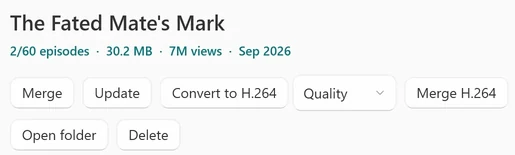
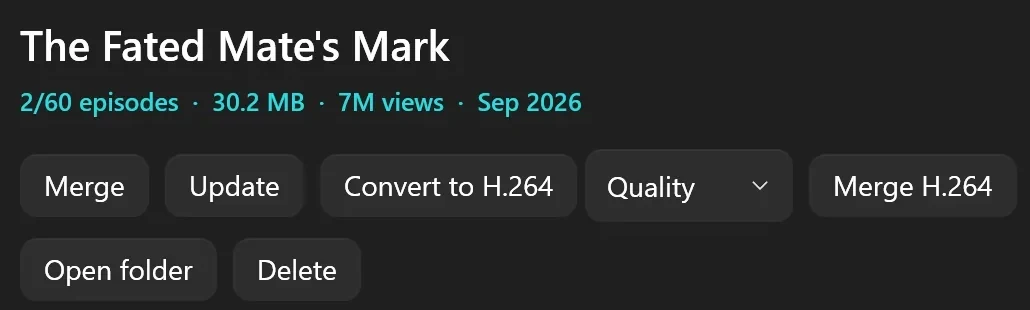
- Open Library and click the series cover. (You can also right-click the cover and choose Convert to H.264.)
- In the series window, pick a preset in the box next to Convert to H.264: Quality, Balanced or Fast. The tooltip explains:
Quality = slowest, best picture. Fast = quickest, smaller file. - Click Convert to H.264 and confirm with OK. Progress appears in Queue, where you can cancel it.
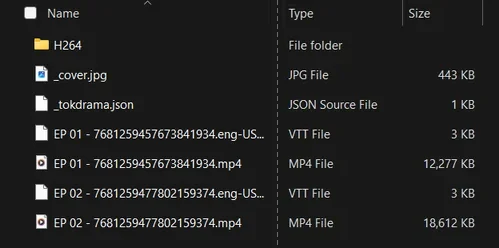
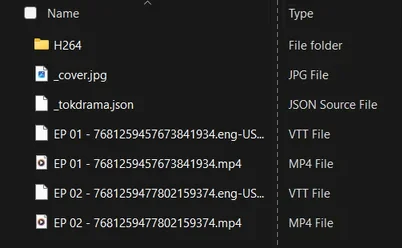
- When it finishes, click Open folder and open the H264 subfolder to find the copies.
Before it starts, the app asks you to confirm: Makes H.264 copies in a "H264" subfolder. Your originals are kept in place, so this roughly doubles the space this series uses, and it can take a while. Plan for more space than that: in our test the copies were 2.2 to 2.6 times the size of the HEVC originals. Your HEVC originals stay where they were.
 Open the full-size pictureOpen the full-size picture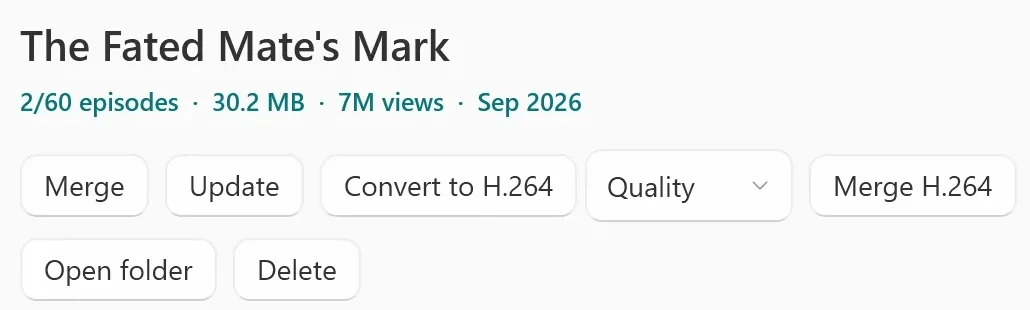
Tested on 30 September 2026
Converting two 1080p episodes with the Quality preset took about 50 seconds on a PC with a graphics-card encoder the app could use (NVIDIA here). The Queue showed Converting 1/2 with h264_nvenc… (the NVIDIA encoder, which the app picked first), and the series folder then had an H264 folder holding the two copies.
 Open the full-size picture
 Open the full-size picture
What to expect
- Resolution: the codec never raises the resolution. Each episode still gets the best tier TikTok serves, up to your ceiling.
- File size: HEVC files are usually the smaller of the two for a similar picture, but the difference depends on the episode. We measured one episode of a public drama (2 minutes 8 seconds) on 30 September 2026: 12.0 MB as the 1080p HEVC original, 30.6 MB as its Convert to H.264 copy with the Quality preset, and 12.7 MB saved from TikTok as 540p H.264. The next episode (2 minutes 36 seconds) gave 18.2 MB, 44.9 MB and 18.8 MB. The 1080p HEVC files were slightly smaller than the 540p H.264 ones, so here, picking 540p H.264 didn’t save any space.
- Picture after converting: a converted copy is a re-encode. It can look very close to the original, but it can’t add detail that wasn’t there, which is one reason the app keeps your originals.
- A preference, not a promise: if TikTok serves no H.264 version of an episode, the app saves the best version it can get within your choice instead. It works the other way too: in our test, an episode queued as 540p HEVC came as 540p H.264, because no HEVC version of it was available at that tier.
Troubleshooting
The H.264 option is grayed out
You have 1080p or 720p selected. Choose 540p first. If 540p itself is grayed out, hover over it: the tooltip This drama has no 540p version means TikTok doesn’t offer that tier for this drama.
The files won’t play on a TV or an older phone
That device probably can’t decode HEVC. Convert the series in the Library, or save it again at 540p with H.264.
Windows says you need a codec, or Microsoft’s player shows sound but no picture
Windows is missing HEVC support. Install Microsoft’s HEVC Video Extensions from the Microsoft Store, play the file in a player with its own HEVC support, or convert the series to H.264.
Converting takes a long time
Each HEVC episode is re-encoded, and conversions run one at a time. The Fast preset finishes sooner; the app tries your graphics card first and falls back to the processor if needed.
FAQ
Is HEVC better quality than H.264?
For these downloads, the codec isn’t the whole story: TikTok’s own encoding sets the picture. In practice HEVC gives you the sharper files whenever a drama offers 720p or 1080p, because those tiers only exist in HEVC. At 540p, both versions come from TikTok, so compare them on your own screen if it matters to you.
Can I download 1080p in H.264 directly?
No. TikTok serves these dramas in H.264 only up to 540p. For H.264 at full resolution, download in HEVC and use Convert to H.264 in the Library.
Does converting delete or change my HEVC files?
No. The copies go into an H264 subfolder inside the series folder, and the originals stay untouched.
Which codec does PineDrama Downloader use?
The same rules. PineDrama Downloader is the same app, and PineDrama episodes come from TikTok, so the same quality and codec choices apply.